RAG-Chatbot
Filament-native RAG plugin

Add a production-ready RAG chatbot to your Filament app.

Use Filament as the control plane for bots, sources, retrieval tuning, analytics, and branded chat widgets. Ship support assistants, internal copilots, and domain-specific help without building the admin layer from scratch.
Multi bot management Source ingestion + reingest Provider + model controls Retrieval tuning Embeddable chat widget Setup checks + analytics
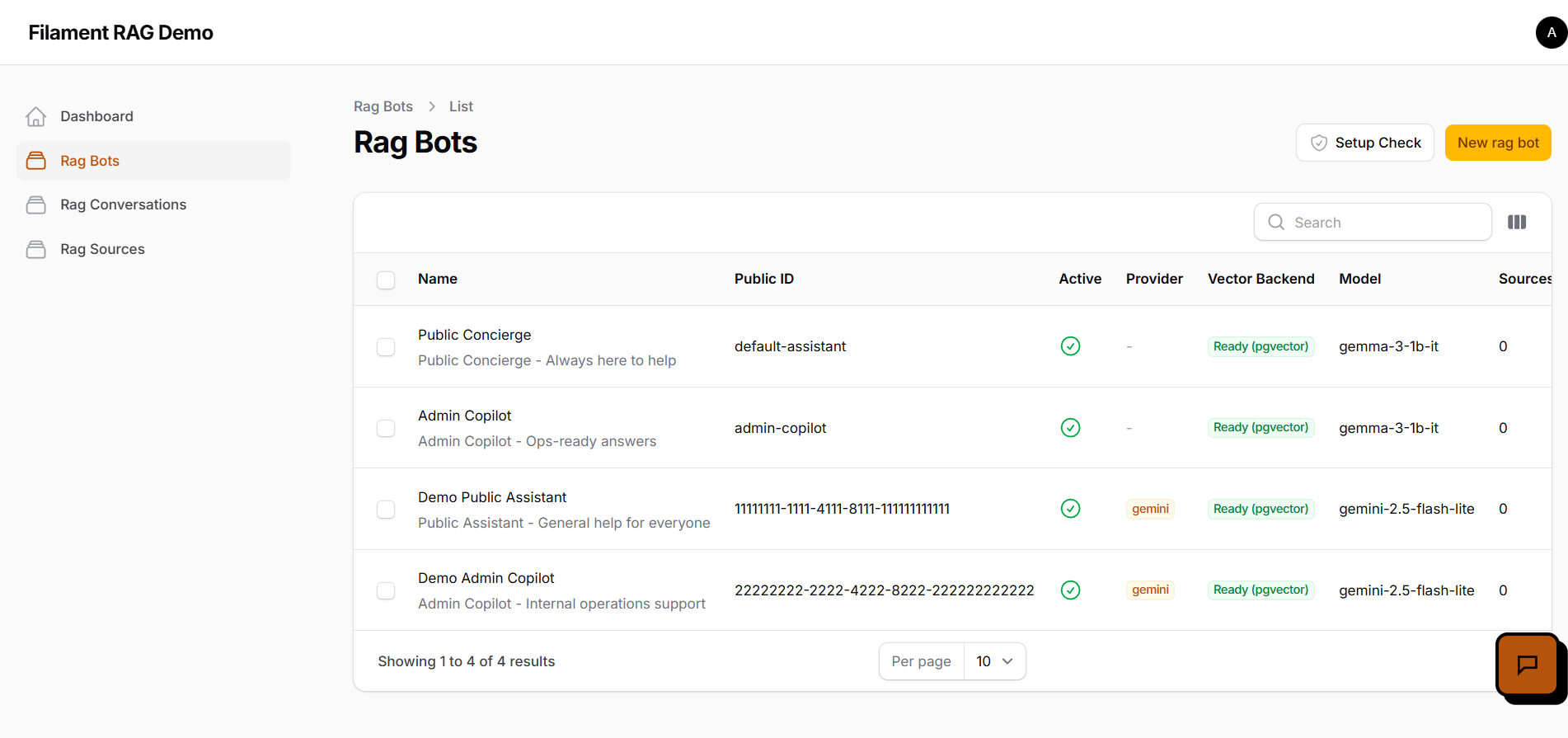
RAG bot management list with status, provider, and backend details
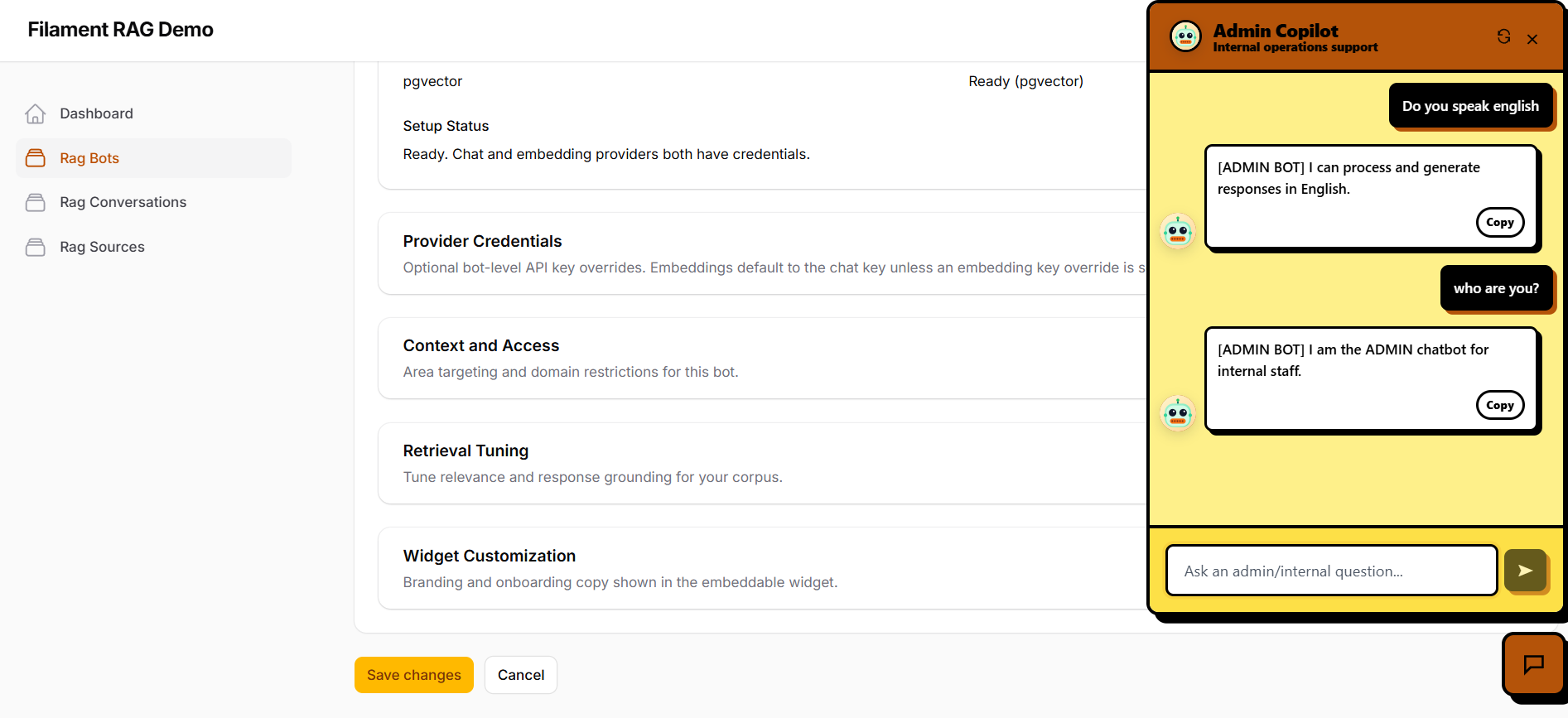
Branded chatbot widget preview with message bubbles and copy actions

Built for real deployments

More than a widget: a control plane for RAG assistants.

The plugin gives Laravel teams the operational layer around RAG: bot management, ingestion workflows, readiness checks, analytics, and customer-facing widget controls inside Filament.

Bots

Multi-bot command center

Manage public and internal assistants with dedicated IDs, activation flags, providers, model choices, and prompts.

Sources

Ingestion and re-ingestion

Create sources per bot, track status, and trigger bulk re-ingestion whenever content changes.

Setup

Setup checks and readiness

See whether chat and embedding credentials are valid before going live with customer traffic.

Analytics

Bot usage metrics

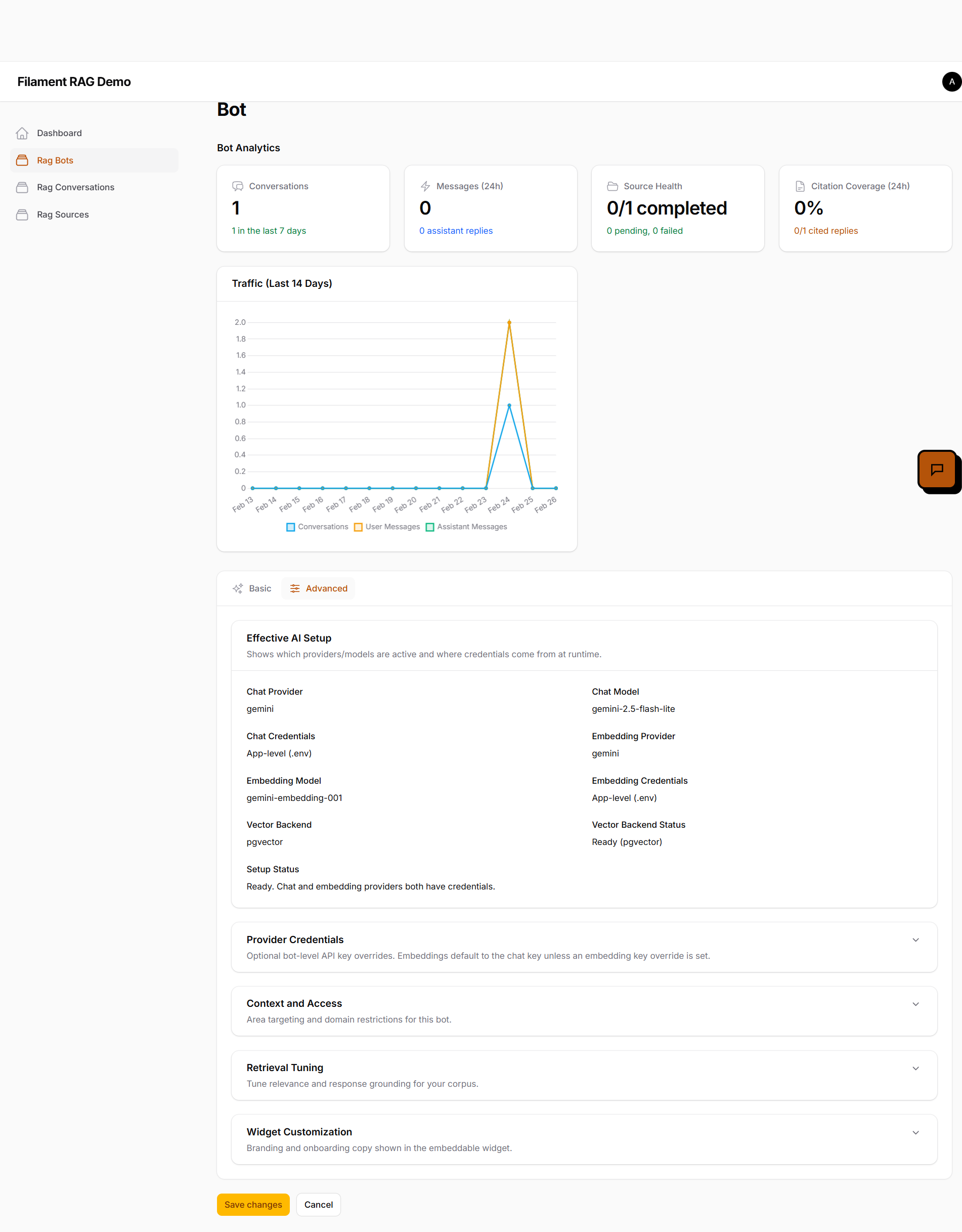
Monitor conversations, message trends, source health, and citation coverage directly inside Filament.

Retrieval

Grounding and relevance tuning

Adjust retrieval behavior to improve response quality, confidence, and factual consistency.

Widget

Area-level branding controls

Customize style, copy, and behavior by area token with live desktop and mobile previews.

From install to launch

3 steps to ship a RAG assistant your app can own.

01

Create and configure bots

Define the bot purpose, public ID, provider, prompt, and model pairing for each use case.

List of configured RAG bots
02

Add knowledge sources

Ingest manual text, files, or documents, map content to specific bots, and maintain source quality over time.
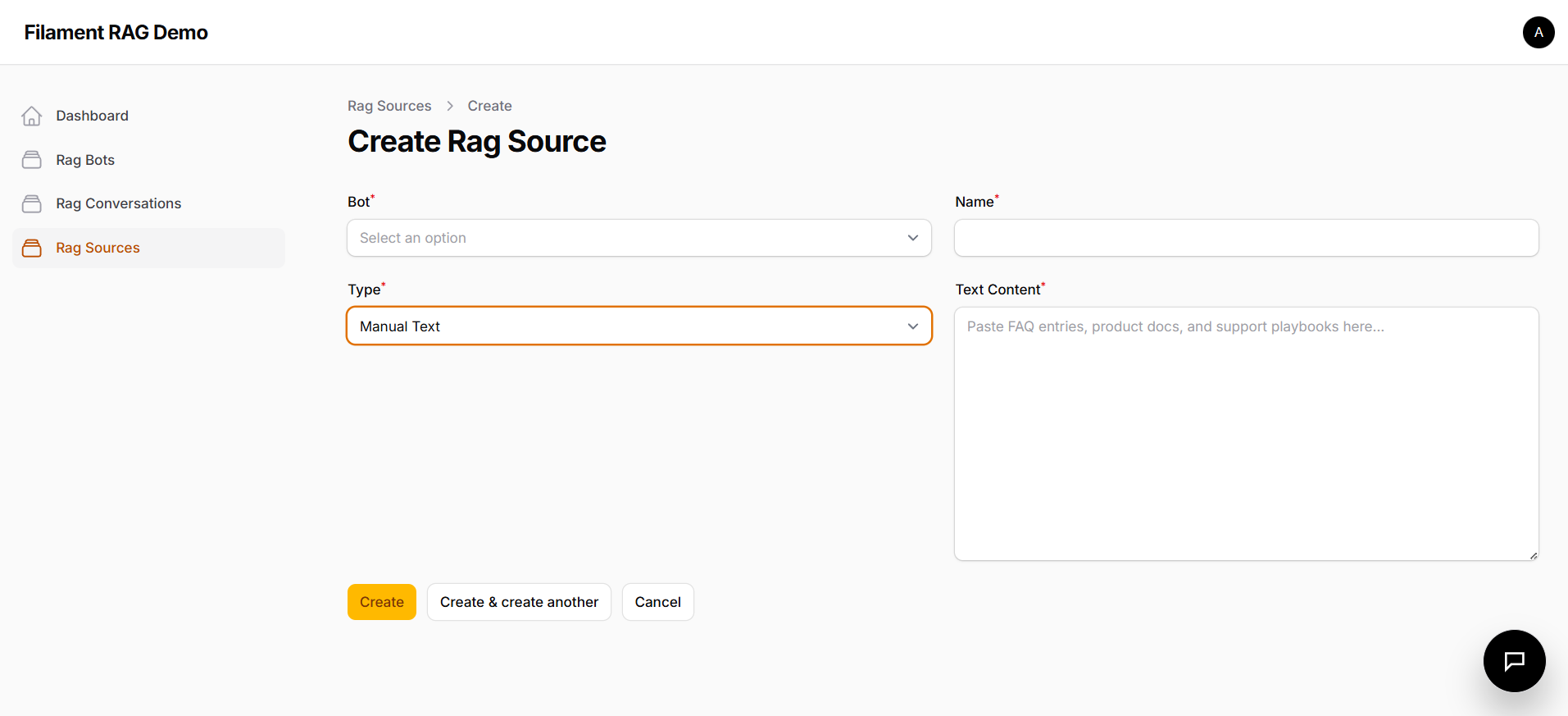
Create RAG source form for manual text content
03

Tune and preview the widget

Refine retrieval and style overrides, then validate the final chat experience with built-in live previews.
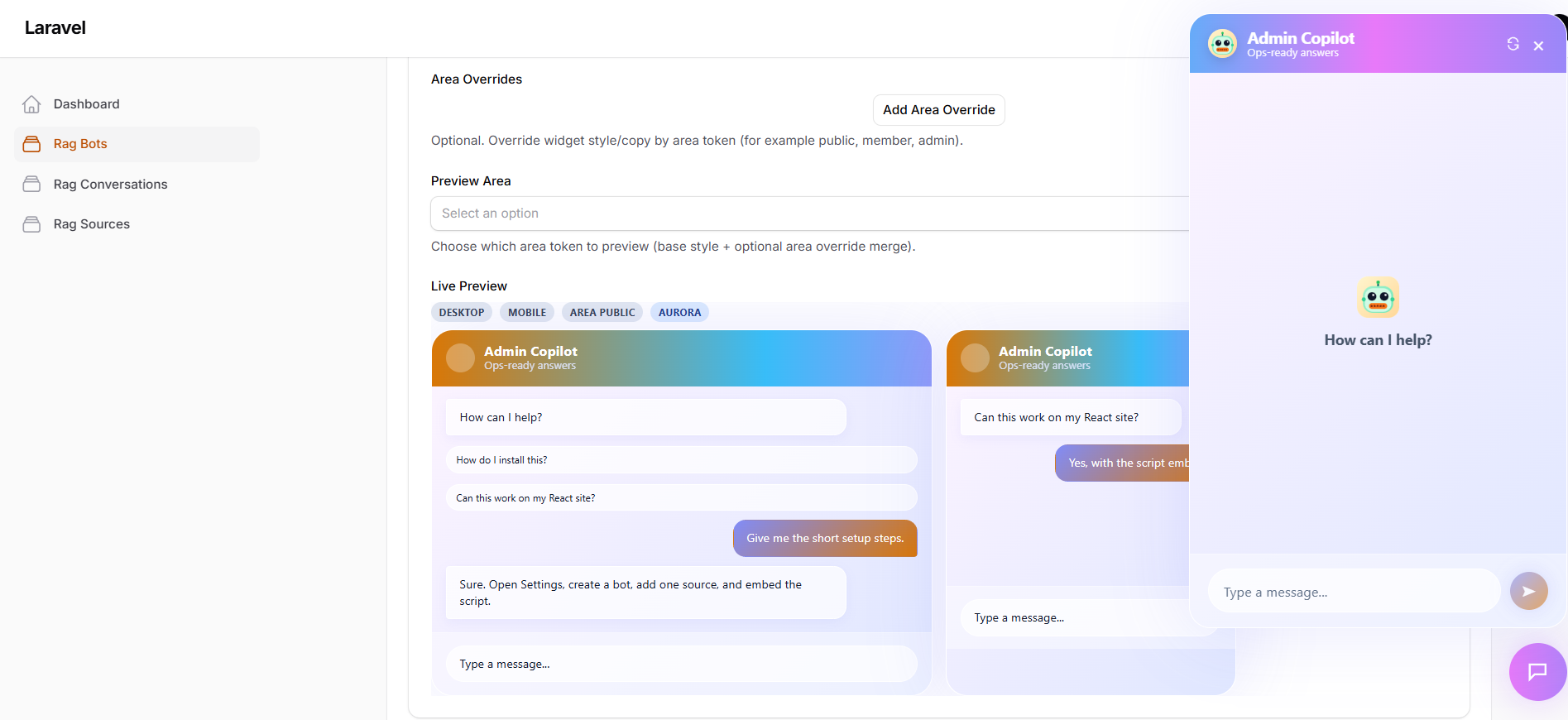
Live widget preview panel with area overrides for assistant
Detailed bot analytics and advanced configuration screen with retrieval and widget options

Deep operations view

Manage bot behavior, retrieval, and widget branding in one place.

Each bot can have its own provider, model, access rules, retrieval settings, and widget copy, so one Filament panel can power multiple assistant experiences.

  • Provider credentials and model selection for chat and embeddings.
  • Vector backend status and setup readiness checks.
  • Context access controls for area targeting.
  • Retrieval tuning to improve grounding and citations.
  • Widget colors, prompts, and onboarding copy per experience type.
Styled embeddable chat widget with branded message bubbles

UI tour

Real plugin screens from source management to analytics.

RAG bot management list with model, provider, and vector backend status
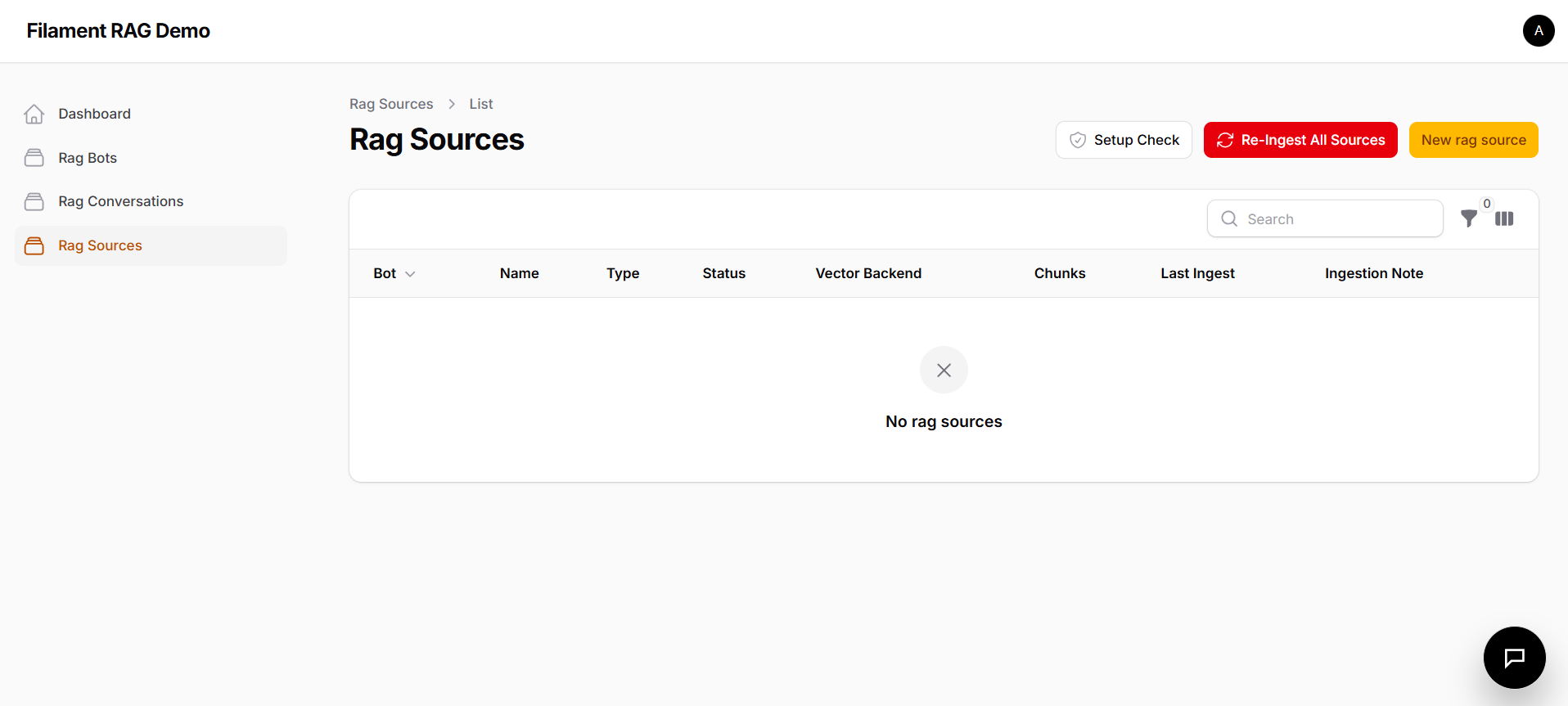
RAG source list screen with setup and ingest actions
Source creation interface for manually adding knowledge content
Area override preview with desktop and mobile widget versions

Embeddable chat widget

Ship a branded chat experience — in any color mode.

The widget ships as a signed JS snippet and adapts to your brand palette. Light and dark themes are fully supported out of the box — preview both below.

☀  Light mode
🤖
RAG Assistant
Online · Powered by Filament
🤖
Hi! Ask me anything about your knowledge base — I’ll retrieve the most relevant answer.
Y
What’s the return policy for enterprise customers?
🤖
✓  Searched knowledge base
✓  Retrieved top 3 sources
⚡ Composing answer…
Enterprise customers have a 60-day return window with dedicated support. Refunds are processed within 5 business days.
📄 Enterprise Policy · §4.2
🌙  Dark mode
🤖
RAG Assistant
Online · Powered by Filament
🤖
Hi! Ask me anything about your knowledge base — I’ll retrieve the most relevant answer.
Y
What’s the return policy for enterprise customers?
🤖
✓  Searched knowledge base
✓  Retrieved top 3 sources
⚡ Composing answer…
Enterprise customers have a 60-day return window with dedicated support. Refunds are processed within 5 business days.
📄 Enterprise Policy · §4.2
🤖

Add AI support, copilots, and knowledge assistants to your Filament product.

Use this plugin as the operational backbone for customer support assistants, internal copilots, and domain-specific answer engines. It helps you ship a serious AI feature fast without pretending the plugin is your whole product.